Heroku vs Self-Hosting: A Cost-Benefit Analysis for 2026
TLDR
Heroku's convenience comes at a premium: typical production workloads cost $500-2,000/month. Self-hosting equivalent infrastructure on DigitalOcean runs $24-100/month. But the real cost difference isn't just dollars—it's engineer time, operational complexity, and risk. This guide breaks down actual costs, hidden expenses, and provides a framework to determine if self-hosting makes sense for your specific situation. Includes transparent Total Cost of Ownership (TCO) calculations and honest tradeoff analysis.
Why This Analysis Exists
Heroku bills can escalate quickly. A typical production application with standard performance dynos, PostgreSQL, Redis, and review apps easily runs $1,000-2,000/month. Meanwhile, equivalent infrastructure on self-managed cloud providers costs $50-100/month for raw compute.
The infrastructure price gap is real. But comparing prices alone is misleading.
This analysis examines:
- Direct costs: Heroku vs self-hosting infrastructure pricing
- Hidden costs: Engineer time, operational overhead, tooling, incidents
- Total Cost of Ownership (TCO): What it actually costs to run production infrastructure
- Risk factors: What you gain and lose with each approach
- Decision framework: When self-hosting makes sense (and when it doesn't)
All numbers reflect 2026 pricing and assume a standard web application: API backend, PostgreSQL database, Redis cache, background job processing.
The Heroku Pricing Model
Heroku charges for compute (dynos), add-ons (databases, caching), and data transfer. Costs scale linearly with resources.
Sample Production Architecture on Heroku
Let's price out a realistic production setup:
Production Application Requirements:
- Web API (Node.js/Python/Ruby)
- Background job processing
- PostgreSQL database
- Redis for caching/sessions
- Staging environment
- Review apps for PRs
Heroku Cost Breakdown:
Production Dynos:
  2x Standard-2X web dynos ($50/ea)       = $100/month
  1x Standard-2X worker dyno ($50)        = $50/month

Production Add-ons:
  Heroku Postgres Standard-0 ($50)        = $50/month
  Heroku Redis Premium-0 ($60)            = $60/month
  Papertrail logs ($7)                    = $7/month

Staging Environment:
  1x Standard-1X dyno ($25)               = $25/month
  Postgres Mini ($5)                      = $5/month
  Redis Mini ($3)                         = $3/month

Review Apps (avg 3 active):
  3x Eco dynos ($5/ea)                    = $15/month
  3x Postgres Mini ($5/ea)                = $15/month

Data Transfer (typical):
  Estimated outbound bandwidth            = $50/month

TOTAL: $380/month (minimal production)
This is conservative. Scale up for higher traffic:
Higher Traffic Production:
  4x Performance-M dynos ($250/ea)        = $1,000/month
  2x Performance-M workers ($250/ea)      = $500/month
  Postgres Standard-2 ($200)              = $200/month
  Redis Premium-5 ($350)                  = $350/month
  Logging/monitoring                      = $50/month
  Staging + review apps                   = $100/month
  Data transfer                           = $100/month

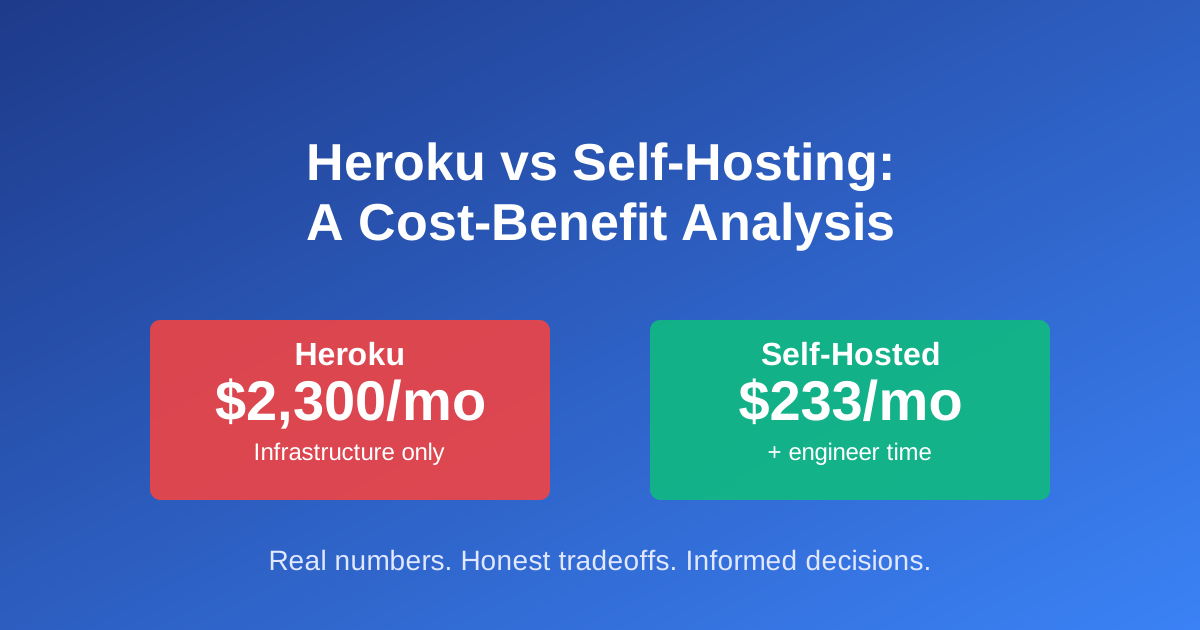
TOTAL: $2,300/month (medium traffic)
What You Get with Heroku
Heroku's pricing includes significant operational value:
- Zero infrastructure management: No servers to patch, monitor, or maintain
- Automated deployments: Git push deploys with buildpacks
- Automatic SSL: Free certificates with auto-renewal
- Built-in CI/CD: Review apps and pipelines included
- Managed databases: Automated backups, failover, maintenance
- Scaling: Instant horizontal/vertical scaling via CLI or dashboard
- Add-on ecosystem: 150+ integrations (logging, monitoring, caching)
- Platform maintenance: Security patches, runtime updates handled
- 24/7 support: Available on paid plans
- Compliance: SOC 2, ISO 27001, PCI DSS certified
The premium pays for not having to think about infrastructure.
The Self-Hosting Alternative
Self-hosting gives you control and dramatically lower infrastructure costs. But it transfers operational responsibility to your team.
Sample Self-Hosted Architecture
Same application requirements, hosted on DigitalOcean:
Option 1: Basic Self-Hosted ($24-50/month)
Infrastructure:
  Basic Droplet (4GB RAM, 2 vCPU, 80GB SSD) = $24/month
  Automated backups (20% of droplet)        = $5/month

Software (self-managed on droplet):
  PostgreSQL (installed on droplet)         = $0
  Redis (installed on droplet)              = $0
  Nginx reverse proxy                       = $0
  Docker + Docker Compose                   = $0

TOTAL: $29/month
Option 2: Managed Services ($80-120/month)
Infrastructure:
  Basic Droplet (4GB RAM, 2 vCPU)           = $24/month
  Managed PostgreSQL (1GB, 10GB disk)       = $15/month
  Managed Redis (1GB)                       = $15/month
  Load Balancer (for HA)                    = $12/month
  Automated backups                         = $5/month
  Monitoring (Uptime Robot free tier)       = $0
  DNS (Cloudflare free tier)                = $0

TOTAL: $71/month
Option 3: Production-Grade Self-Hosted ($150-250/month)
Infrastructure:
  2x Application servers (8GB RAM each)     = $96/month
  Load Balancer                             = $12/month
  Managed PostgreSQL (4GB, HA)              = $60/month
  Managed Redis (2GB, HA)                   = $30/month
  Object storage (backups, assets)          = $5/month
  Monitoring (Datadog/New Relic)            = $30/month
  Log aggregation (self-hosted ELK)         = $0
  CDN (Cloudflare free/pro)                 = $0-20/month

TOTAL: $233/month
Infrastructure Cost Comparison
| Scenario | Heroku | Self-Hosted | Savings |
|---|---|---|---|
| Small production | $380/mo | $29-71/mo | $309-351/mo (82-92%) |
| Medium production | $2,300/mo | $233/mo | $2,067/mo (90%) |
The infrastructure savings are dramatic and real.
But infrastructure is only part of total cost.
Hidden Costs: What the Price Tags Don't Show
Infrastructure pricing tells an incomplete story. Let's calculate Total Cost of Ownership (TCO).
Engineer Time: The Largest Hidden Cost
Self-hosting requires operational work that Heroku handles automatically.
Initial Setup (one-time):
| Task | Hours | Engineer Cost @ $100/hr |
|---|---|---|
| Server provisioning | 2 | $200 |
| Security hardening | 4 | $400 |
| Database setup & tuning | 3 | $300 |
| SSL certificate automation | 1 | $100 |
| Deployment pipeline setup | 8 | $800 |
| Monitoring/alerting setup | 4 | $400 |
| Backup automation | 3 | $300 |
| Documentation | 2 | $200 |
| TOTAL SETUP | 27 hrs | $2,700 |
Ongoing Monthly Maintenance:
| Task | Hours/mo | Cost/mo @ $100/hr |
|---|---|---|
| Security patches | 2 | $200 |
| Incident response (avg) | 3 | $300 |
| Performance monitoring | 1 | $100 |
| Backup verification | 1 | $100 |
| Dependency updates | 2 | $200 |
| Capacity planning | 1 | $100 |
| On-call rotation overhead | 4 | $400 |
| TOTAL MONTHLY | 14 hrs | $1,400/month |
This assumes:
- Mid-level engineer at $100/hour (conservative)
- Smooth operations (no major incidents)
- One application/service
TCO With Engineer Time
Now the comparison shifts:
First Year TCO:
Heroku Medium Production:
  Infrastructure: $2,300 x 12          = $27,600
  Engineer time: minimal               = $1,000
  TOTAL:                                 $28,600

Self-Hosted (managed services):
  Infrastructure: $233 x 12            = $2,796
  Setup (one-time):                    = $2,700
  Monthly maintenance: $1,400 x 12     = $16,800
  TOTAL:                                 $22,296

Savings: $6,304 (22% lower, not 90%)
Second Year TCO (no setup costs):
Heroku:   $27,600 + $1,000   = $28,600
Self-Hosted: $2,796 + $16,800 = $19,596

Savings: $9,004 (31% lower)
The savings are still significant, but not the 90% the infrastructure pricing suggests.
Break-Even Analysis
When does self-hosting pay off?
Setup cost:        $2,700
Monthly savings:   $2,067 (infrastructure) - $1,400 (engineer time) = $667

Break-even: $2,700 / $667 = 4.0 months
If you stay self-hosted for more than 4 months, you come out ahead financially.
But this assumes:
- No major incidents requiring significant engineer time
- Engineer time is actually available (not pulled from product work)
- You value engineer time at market rate
Other Hidden Costs
Risk costs (hard to quantify):
- Downtime: Self-managed means you own incidents. Average cost of downtime varies by business ($5,000-100,000/hour for e-commerce)
- Security: You're responsible for hardening, patches, compliance. Breach costs can be catastrophic
- Scaling delays: Heroku scales instantly. Self-hosted requires capacity planning
- Knowledge concentration: If your DevOps engineer leaves, who maintains infrastructure?
Tooling costs:
- Deployment automation (if not using Coolify/CapRover): $500-2,000 setup
- Monitoring (beyond free tiers): $50-500/month
- Log aggregation (beyond free tiers): $50-300/month
- Backup storage: $10-50/month
- Security scanning: $50-200/month
Opportunity cost:
- Engineer time spent on infrastructure isn't spent on product features
- For early-stage startups, this can be the most expensive "hidden" cost
Decision Framework: Should You Self-Host?
Use this framework to evaluate your situation:
You Should Stay on Heroku If:
✅ Monthly bill < $500: The convenience premium is worth it
✅ Pre-product-market fit: Focus on product, not infrastructure
✅ No DevOps expertise: Team lacks Linux/Docker/database management skills
✅ Compliance requirements: Need SOC 2, HIPAA, PCI certifications quickly
✅ Unpredictable scaling: Traffic spikes require instant horizontal scaling
✅ Engineer time is expensive: Senior engineers earning $150k+ cost $75/hour. Spending 14 hours/month on ops = $1,050/month opportunity cost
✅ Small team (1-3 engineers): Can't afford dedicated ops time
✅ Complex compliance: Healthcare, fintech, or regulated industries where Heroku's certifications matter
You Should Consider Self-Hosting If:
✅ Monthly Heroku bill > $1,000: Savings justify setup and maintenance effort
✅ Stable application: Not rapidly changing infrastructure requirements
✅ DevOps capability: At least one engineer comfortable with Linux, Docker, databases, networking
✅ Predictable traffic: Can capacity plan without instant scaling needs
✅ Team size 5+: Can dedicate time to operations without pulling from product
✅ Cost-sensitive: Early-stage startup watching runway, or bootstrapped business
✅ Learning opportunity: Team wants to build operational maturity
✅ Control requirements: Need custom configurations Heroku doesn't support
✅ Long-term commitment: Planning to stay on this infrastructure for 12+ months
The Sweet Spot for Self-Hosting
Self-hosting makes most sense for:
- Team size: 5-20 engineers
- Heroku bill: $800-3,000/month
- Application maturity: Post-PMF, stable architecture
- Traffic pattern: Predictable, not spikey
- Ops skill: Mid-level DevOps engineer or senior full-stack with ops experience
- Region: Single region deployment (multi-region adds complexity)
- Architecture: Standard web applications (not complex distributed systems)
Modern Self-Hosting Tools
If you decide to self-host, modern tools bridge the gap between Heroku's convenience and raw VPS management:
Coolify (Open Source, Free)
- Git-based deployments (like Heroku)
- Docker-based app isolation
- Built-in SSL with Let's Encrypt
- Database management UI
- Zero-downtime deployments
- Resource monitoring
- Works on any VPS
Best for: Teams wanting Heroku-like experience at VPS prices
CapRover (Open Source, Free)
- Docker-based deployments
- One-click apps (WordPress, Ghost, etc.)
- Web UI for management
- Automatic HTTPS
- Simpler than Coolify
Best for: Smaller teams, simpler needs
Dokku (Open Source, Free)
- Oldest Heroku alternative
- Buildpack-based (exactly like Heroku)
- CLI-focused (minimal UI)
- Very lightweight
- Battle-tested
Best for: CLI-comfortable teams, minimal overhead
Kamal (Open Source, Free)
- From the Rails/37signals team
- Zero-downtime deployments
- Docker-based
- Minimal, opinionated
- Great for Ruby/Rails apps
Best for: Rails applications, teams wanting simple deployment tool
Cloud Provider Managed Services
- AWS ECS/Fargate, Google Cloud Run, Azure Container Apps
- Middle ground: managed container orchestration
- More expensive than raw VPS, cheaper than Heroku
- Less operational burden than self-hosting
Best for: Teams wanting some managed services without Heroku's premium
Real-World Scenarios
Let's apply the framework to specific situations:
Scenario 1: Early-Stage SaaS Startup
- Team: 3 engineers (2 full-stack, 1 frontend)
- Heroku bill: $450/month
- Revenue: $15k MRR
- Stage: Product-market fit phase
Recommendation: Stay on Heroku
Why: Team is too small to dedicate ops time. $450/month is 3% of revenue - affordable. Engineers should focus on product iteration, not infrastructure. Savings ($300/month) don't justify operational risk and distraction.
Scenario 2: Growing B2B SaaS
- Team: 12 engineers (10 product, 1 DevOps, 1 data)
- Heroku bill: $2,400/month
- Revenue: $200k MRR
- Stage: Post-PMF, scaling
Recommendation: Migrate to self-hosting
Why: Have dedicated DevOps capacity. Heroku bill is significant ($28,800/year). Team has operational maturity. Infrastructure savings ($2,167/month = $26,004/year) fund 25-50% of a mid-level engineer depending on market rates. Application is stable. Can absorb 2-3 week migration project.
Scenario 3: Bootstrapped Business
- Team: 1 technical founder
- Heroku bill: $180/month
- Revenue: $8k MRR
- Stage: Profitable, growing slowly
Recommendation: Maybe self-host (if comfortable with ops)
Why: Depends on founder's DevOps comfort level. If experienced with ops, $150/month savings ($1,800/year) is meaningful for bootstrapped business. If not comfortable, $180/month is cheap insurance against operational disasters. Risk tolerance matters here.
Scenario 4: Enterprise SaaS
- Team: 50+ engineers, dedicated platform team
- Heroku bill: $8,000/month
- Revenue: $5M+ ARR
- Stage: Mature product
Recommendation: Migrate to Kubernetes or similar
Why: At this scale, neither Heroku nor basic self-hosting makes sense. Need proper orchestration (Kubernetes), multi-region, advanced monitoring. Heroku's limitations become obvious. Build internal platform or use managed Kubernetes (EKS, GKE, AKS).
Migration Path (If You Decide to Self-Host)
Don't migrate everything at once. Use this staged approach:
Phase 1: Proof of Concept (1 week)
- Set up droplet with Coolify/CapRover
- Deploy one non-critical application
- Test deployments, rollbacks, environment variables
- Validate SSL, DNS, basic monitoring
- Document everything
Goal: Prove the tooling works without risking production
Phase 2: Staging Environment (2 weeks)
- Migrate staging environment completely
- Set up databases (managed or self-hosted)
- Configure monitoring and alerts
- Run load tests
- Train team on new deployment process
Goal: Iron out operational issues without production risk
Phase 3: Production Migration (2-4 weeks)
- Export production data
- Set up production databases
- Configure production apps with low DNS TTL
- Test thoroughly
- Execute cutover during low-traffic window
- Monitor closely for 48 hours
- Keep Heroku running as backup for 1 week
Goal: Minimize production risk, enable fast rollback
Phase 4: Optimization (ongoing)
- Tune database performance
- Set up comprehensive monitoring
- Automate backups and test restores
- Document runbooks
- Implement disaster recovery procedures
Goal: Reach operational maturity
Total timeline: 5-7 weeks for complete migration
The Honest Bottom Line
Heroku is expensive. For equivalent infrastructure, you'll pay 5-10x more than self-hosting.
Self-hosting is cheaper. But not 90% cheaper when you factor in engineer time.
The real question isn't cost—it's whether you want to own your infrastructure.
Choose Heroku if:
- You want to focus on product, not infrastructure
- You're pre-PMF and iterating rapidly
- Your team lacks ops expertise
- You value sleep and peace of mind
Choose self-hosting if:
- Your Heroku bill is legitimately painful (>$1,000/month)
- You have ops capability or want to build it
- You're willing to trade convenience for control
- You're committed long-term (12+ months)
There's no wrong answer. The "right" choice depends on your team, stage, skills, and priorities.
What's wrong is pretending the only difference is the monthly bill. Total Cost of Ownership matters. Operational risk matters. Engineer time matters. Sleep matters.
Make an informed decision based on your actual situation, not mythical 98% savings stories.
Resources for Self-Hosting
Deployment Tools:
- Coolify - Open-source Heroku alternative
- CapRover - Easy Docker deployment
- Dokku - Heroku on your server
- Kamal - From 37signals
Cloud Providers:
- DigitalOcean - Simple, predictable pricing
- Hetzner Cloud - EU-based, very cheap
- Linode/Akamai - Alternative to DO
Monitoring:
- Uptime Robot - Free uptime monitoring
- Netdata - Real-time performance monitoring
TCO Calculators:
- Build your own spreadsheet with this article's framework
- Include infrastructure costs, engineer time, tooling, and risk factors
We earn commissions when you shop through the links below.

DigitalOcean
Cloud infrastructure for developers
Simple, reliable cloud computing designed for developers

DevDojo
Developer community & tools
Join a community of developers sharing knowledge and tools

Acronis
The most secure backup
Acronis: the most secure backup solution for your data
Pluralsight
Technology skills platform
Expert-led courses in software development, IT ops, data, and cybersecurity
Want to support DevOps Daily and reach thousands of developers?
Become a SponsorFound an issue?